Tailscale
Tailscale is a free enterprise VPN service that connects devices (nodes) into a private mesh network (tailnet) over WireGuard. It has robust features that allows users to configure and monitor their tailnet to their liking. This includes ACLs, DNS settings, HTTPS certificates, user management, and log monitoring.
Initial setup
On my Raspberry Pi and DigitalOcean VPS, I installed Tailscale by running the official install script:
This script added the official Tailscale package repository to my systems, installed the tailscale package, and then enabled the tailscaled service. The next thing I did was run the sudo tailscale up command to bring up the tailscale0 interface, and then signed in to my Tailscale account to authorize the node to join my tailnet.
Configuration
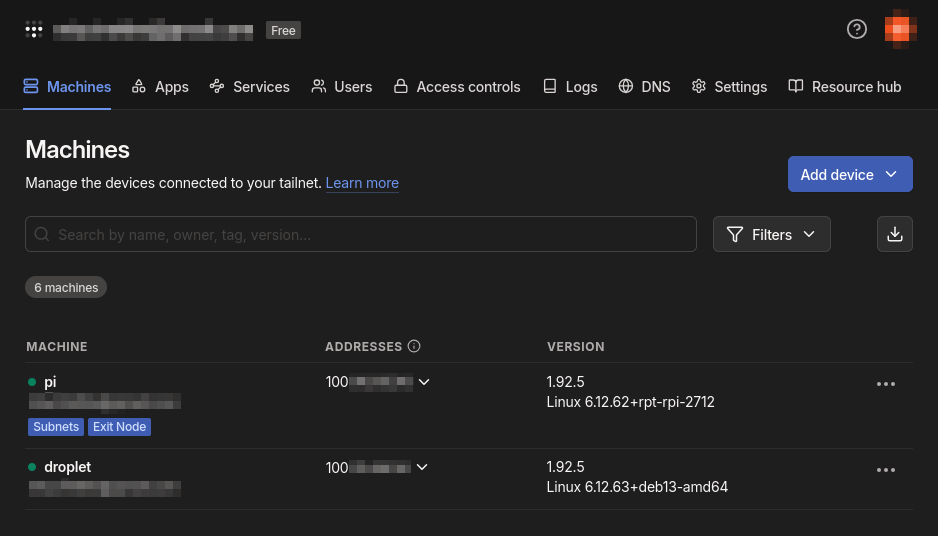
Tailscale Admin panel
Access controls
First, I configured the tailnet's ACL rules. By default, Tailscale allows every node in the tailnet to communicate with each other over any port. While convenient, I want to keep access minimal in the event that a node gets compromised. I designed the ACL rules such that only the Pi node can receive incoming HTTP/S and DNS requests from the other nodes in the tailnet. In addition, I set up another rule that only accepts SSH traffic from my workstation node to my Pi and VPS nodes. For the Pi, this enables me to send commands remotely. As for the VPS, this helps harden the system because I can now block incoming SSH requests over WAN without locking myself out of the system. The rules are written in JSON format:
{
    "grants": [
        // DNS
        {
            "src": ["*"],
            "dst": ["<PI_TS_IP>"],
            "ip":  ["tcp:53", "udp:53"],
        },
        // HTTP/HTTPS
        {
            "src": ["*"],
            "dst": ["<PI_TS_IP>"],
            "ip":  ["tcp:80", "tcp:443"],
        },
        // SSH
        {
            "src": ["<WS_TS_IP>"],
            "dst": ["<PI_TS_IP>", "<VPS_TS_IP"],
            "ip":  ["tcp:22"],
        },
    ],
}
DNS
Tailscale also lets me manage DNS and nameservers of my tailnet, where each node has its own subdomain to the tailnet address (e.g., node.tail4b03c2.ts.net). The tailnet DNS name (tail4b03c2.ts.net) is used when registering DNS entries, sharing nodes across tailnets, and issuing TLS certificates. For my use case, I want my nodes to send DNS queries over the tailnet to the AdGuard Home server I am hosting on the Pi, overriding the local DNS server configuration, regardless of the network they are connected to.
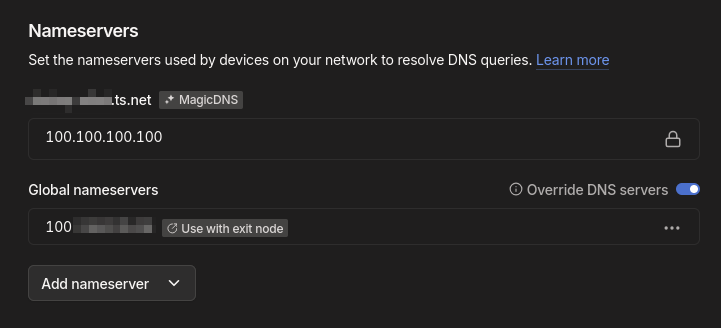
Setting the nameserver in Tailscale